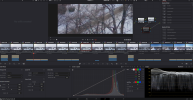
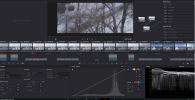
I ran a side-by-side comparison of all three profiles on the Mini 5 Pro:
Normal, HLG (Normal), and D-Log M - based on real grading workflows, not spec sheets.
Some observations:
• HLG look much closer to what I would grade footage to once properly exposed and graded for SDR.
• Normal files are ~30% smaller than D-Log M/HLG, which matters for long flights, hyperlapses, and storage.
• HLG is tagged as BT.2020 / wide gamut, but in practical DJI → SDR workflows, I don’t see a clearly wider color range compared to Rec.709 or well-graded Normal.
• D-Log M still offers more flexibility when pushed hard -but the visible gap is smaller than most people assume.
• noise level on HLG/D-LOGM is huge compared to normal, and it is not just pixel-level grain, it is huge patches of green noise that you have to deal with if you decide to go that path.
Unless you’re delivering true HDR end-to-end, the difference often comes down to workflow efficiency vs headroom, not “cinematic color.”
I’m not saying D-Log M is useless - just that Normal, HLG, and D-Log M overlap far more in real use than specs suggest.
Here’s the video with side-by-side footage and grading examples:
Normal, HLG (Normal), and D-Log M - based on real grading workflows, not spec sheets.
Some observations:
• HLG look much closer to what I would grade footage to once properly exposed and graded for SDR.
• Normal files are ~30% smaller than D-Log M/HLG, which matters for long flights, hyperlapses, and storage.
• HLG is tagged as BT.2020 / wide gamut, but in practical DJI → SDR workflows, I don’t see a clearly wider color range compared to Rec.709 or well-graded Normal.
• D-Log M still offers more flexibility when pushed hard -but the visible gap is smaller than most people assume.
• noise level on HLG/D-LOGM is huge compared to normal, and it is not just pixel-level grain, it is huge patches of green noise that you have to deal with if you decide to go that path.
Unless you’re delivering true HDR end-to-end, the difference often comes down to workflow efficiency vs headroom, not “cinematic color.”
I’m not saying D-Log M is useless - just that Normal, HLG, and D-Log M overlap far more in real use than specs suggest.
Here’s the video with side-by-side footage and grading examples: