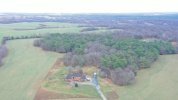
i cant seem to get it on google drive from my
smart controller.
OK ... that image has what I was looking for to see what's happening.
The image metadata shows that the camera exposure settings were:
5.0 sec f11 ISO 100 and that explains the poor quality.
There's some movement which has caused the image to be unsharp with the shutter open for 5 seconds (a very long time in photography).
If you aren't familiar with camera exposure settings, here are some suggestions that should see you getting good exposure in future.
I'd recommend :
Setting the camera to use aperture priority
Set the aperture value of f5.6
This should be fine for most daylight shots (you can open the aperture towards f2.8 if you are shooting in low light).
Set the ISO to 100
Your camera settings should look like this:
Now your camera will select an appropriate shutter speed for the brightness of each scene and you should be getting much better results consistently.
Try that and report back if it's a big improvement or if you want more help.




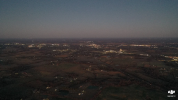 my mavic 2 pro photos are blurry and i have tried changing a few settings and nothing makes it better. any ideas? i dont know a lot about cameras but feel like they should be clearer