DJI Mavic, Air and Mini Drones
Friendly, Helpful & Knowledgeable Community
Join Us Now

Buzzing gimbal motor mini 4K

DRONE HAPPY

Member
Joined
Apr 29, 2021
Messages
14
Reactions
7
Age
76
Location
canada
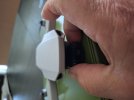
Folks: I was given a mini 4K that has issues that I am trying to sort out. Flies fine but after a short time I get a "motor over loaded" error on the app. After landing, I notice that a motor is buzzing. Closely examination suggests that it is (most likely!!) the gimbal pitch motor. When I put my fingers at 9 o'clock and 3 o'clock on the pitch motor and apply a very small amount of pincing pressure, the buzzing stops. When I remove my fingers, it starts again. All this is happening when the drone rests on a flat level surface. Oddly enough, when I pick up the drone and hold it vertically, the buzzing stops. This suggests something other than the pitch motor. With the drone powered off, I can manually manipulate the gimbal and no resistance or roughness is experienced. I tried the compressed air procedure and that did not make a difference.

Can anyone help with a diagnosis. I don't like tearing stuff apart until I have a reasonable sense of what needs to be repaired. All input appreciated.
 
To all intents, it sounds like the roll arm might be slightly deformed (is this what you pinched with thumb & forefinger at 9 and 3 o'clock?)
 
Instead of stopping the vibration, gently place a finger on each motor location while it’s buzzing and you should be able to feel which place is vibrating the most. After trying to fix about 10 buzzing or outright broken plastic of these gimbals I’ve given up and just buy a whole new gimbal. I was only able to fix two of them. The others either still buzz or, in the case where plastic was broken, started to buzz after the repair. My theory is that slight bends in the motor cover caused by a crash, or taking it apart and reassembling cause the vibrations.
 
Thank you barnabyd, that is execllent advice. Follow up question--when you purchase a replacement gimbal do you get the entire assembly including camera or everything except the camera. I have been told that installing the camera in a new receptable is a real bugger. But then the cameras are $$$ and would require to be reprogramed (at least so I understand).
 
I get it without the camera. Switching the camera to the new gimbal is easy but threading the cable through the new gimbal takes time. Either with a new gimbal or replacing a motor you’ll need to remove error 40011 with paid software. You can make it functional for free with python but the error will stay. If you replace the camera you’ll need to remove error 40021 with paid software.
 
Last edited:
barnabyd--thanks again. Where do you buy the gimbals? Prices are all over the place and some look scammy. Are they new or used?
 

DJI Drone Deals

New Threads

Members online

Forum statistics

Threads
139,789
Messages
1,651,831
Members
167,936
Latest member
sharpinjr
Want to Remove this Ad? Simply login or create a free account