DJI Mavic, Air and Mini Drones
Friendly, Helpful & Knowledgeable Community
Join Us Now

D Log M (with Auto ISO) Superior to D Log

If I may add my 1st hand testing and experience to the discussion. (I am shooting with the Air 3s and RC 2.)
I have 3 priorities to balance: 1) Maximum dynamic range, 2) Ease of exposure setting, shooting orbits into the sun, 3) Locking the exposure.
My own testing shows that when BOTH shutter speed and ISO are set to AUTO, more highlight detail is captured (while maintaining shadow detail - e.g. reflection of the sun in water). I set my desired exposure via EV adjustment (right wheel), then lock it via the assigned C2 button.
HOWEVER, the problem I need help with is that the exposure lock seems to be "lost" at a random time during the flight. I have seen other people posting about this same problem. People just reply that manual exposure should be used, which I understand. But then that extra dynamic range is lost, besides exposure choosing being more fiddly.
Anyone got any clues as to why the exposure lock function is not actually reliably locking the exposure?
 
If I may add my 1st hand testing and experience to the discussion. (I am shooting with the Air 3s and RC 2.)
I have 3 priorities to balance: 1) Maximum dynamic range, 2) Ease of exposure setting, shooting orbits into the sun, 3) Locking the exposure.
My own testing shows that when BOTH shutter speed and ISO are set to AUTO, more highlight detail is captured (while maintaining shadow detail - e.g. reflection of the sun in water). I set my desired exposure via EV adjustment (right wheel), then lock it via the assigned C2 button.
HOWEVER, the problem I need help with is that the exposure lock seems to be "lost" at a random time during the flight. I have seen other people posting about this same problem. People just reply that manual exposure should be used, which I understand. But then that extra dynamic range is lost, besides exposure choosing being more fiddly.
Anyone got any clues as to why the exposure lock function is not actually reliably locking the exposure?
TBH I never really understood this concept of Auto ISO and exposure lock working in conjuction. To me this does not make sense. You either want the ISO (or/and shutter speed) to float based on scene changing light or you want to lock them to a set value. Maybe someone wiser than me can explain... As for the AE lock, every time I touch the screen to focus, the Exposure lock dissengages itself.
 
TBH I never really understood this concept of Auto ISO and exposure lock working in conjuction. To me this does not make sense. You either want the ISO (or/and shutter speed) to float based on scene changing light or you want to lock them to a set value. Maybe someone wiser than me can explain... As for the AE lock, every time I touch the screen to focus, the Exposure lock dissengages itself.
Based on my understanding of the context in this thread, it allows for the use of the Mavic 4 Pro's dynamic range expansion feature. I'm not sure if the Air3S has a similar feature.
 
The dynamic range of the camera should not have anything to do with your exposure settings. Whether you set auto iso, auto shutter, auto aperture you are always vulnerable to a bright light automatically changing the exposure, so the first thing should be to set everything to manual including iso. (They all use the same sensor input). Make sure yr shooting RAW. Then you should use yr judgement to set manual values, add ND/CP filters based on the scene. IMO, getting all this right is way more important than what log algorithm is used.
 
This is a great thread, I enjoyed the video, and all the comments.

I've made my living in the medical imaging field for the past 45 years. We no longer use LUTs, but that's because the technology has taken us out of the loop where that's concerned. When a doctor exposes us to radiation to get an image, he has to be able to see if that rea of interest is a benign cyst, or a cancerous tumor. Sometimes the difference can be very subtle. That's not to say that LUTs are bad, it's more because computers have become so much more powerful, and our images need to be an accurate representation as opposed to aesthetically pleasing to our subjective eyes.

This is a totally different animal. I'm retiring soon, and I'm really looking forward to pixel peeping . Looks like it could be rewarding and a lot of fun.
 
IMO LUTs are not the best approach. They’re fine if yr in a rush or are inexperienced or quality is not the main goal but there’s no substitute for understanding your tools, skilled retouching and colour correction in the hands of an expert (which BTW is not me)
 
The dynamic range of the camera should not have anything to do with your exposure settings.
For most cameras you are correct however see all previous discussion in this thread regarding the Mavic 4 Pro's dynamic range expansion feature that requires auto ISO.
 
  • Like
Reactions: GadgetGuy
For most cameras you are correct however see all previous discussion in this thread regarding the Mavic 4 Pro's dynamic range expansion feature that requires auto ISO.
Is there a "white paper" in existence anywhere published by DJI which explains how this "dynamic range expansion" actually works? I only saw a video on YT where the "yutuber" talks about this " hidden feature" of M4P. But somewhere in the middle he also said "I could be wrong" or something along that line, if I remember correctly.
 
Is there a "white paper" in existence anywhere published by DJI which explains how this "dynamic range expansion" actually works? I only saw a video on YT where the "yutuber" talks about this " hidden feature" of M4P. But somewhere in the middle he also said "I could be wrong" or something along that line, if I remember correctly.
Not that I'm aware of. The video clearly shows that it does work, while their measurement technique might not be accurate in defining exactly how many stops of dynamic range is gained, I believe they did demonstrate that there is a gain. How that gain is achieved I don't know.
 
Not that I'm aware of. The video clearly shows that it does work, while their measurement technique might not be accurate in defining exactly how many stops of dynamic range is gained, I believe they did demonstrate that there is a gain. How that gain is achieved I don't know.
I do not think that the video "clearly shows that it does work". Their "measuring technique" has a lot to be desired and by their own admission they said that they could be wrong in their assessment. If this "fusion" was implemented in M4P I think DJI would have been singing long and loud about this and clear instructions how to use it would be in the Manual. Why would they hide it or remain silent if such an "amazing" feature existed (maybe on their other drones too)?
 
I do not think that the video "clearly shows that it does work". Their "measuring technique" has a lot to be desired and by their own admission they said that they could be wrong in their assessment. If this "fusion" was implemented in M4P I think DJI would have been singing long and loud about this and clear instructions how to use it would be in the Manual. Why would they hide it or remain silent if such an "amazing" feature existed (maybe on their other drones too)?
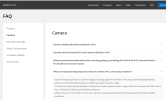
Agree to disagree on the video results, thats fine. Regarding "Why would they hide it..." its on their website...
Given the results of the video, and the fact that DJI says what it does (even if they don't say how) I choose to believe they are telling the truth.

Screenshot 2025-12-04 135718.png
 
  • Like
Reactions: qadsan
Agree to disagree on the video results, thats fine. Regarding "Why would they hide it..." its on their website...
Given the results of the video, and the fact that DJI says what it does (even if they don't say how) I choose to believe they are telling the truth.

View attachment 186797
Thanks for attaching the FAQ page. I was not aware of this. It still remains a mystery to me why this only works with Dlog M though. Should the AE lock be On or Off for this to work?
 
Thanks for attaching the FAQ page. I was not aware of this. It still remains a mystery to me why this only works with Dlog M though. Should the AE lock be On or Off for this to work?
My guess would be it works everywhere except DLog to preserve the completely raw user controlled nature of DLog. Guessing most people shooting DLog wouldn't have auto ISO on anyway. AE lock doesn't affect it from my understanding, just allows one to keep ISO on auto without exposure changing mid recording.
 
My guess would be it works everywhere except DLog to preserve the completely raw user controlled nature of DLog. Guessing most people shooting DLog wouldn't have auto ISO on anyway. AE lock doesn't affect it from my understanding, just allows one to keep ISO on auto without exposure changing mid recording.
This is the confusing part to me. Keeping Auto ISO and Auto Shutter Speed and locking exposure. How can these two things work together? It is either one or the other, isn't it? Anyway, whatever it is, if it helps to expand dynamic range it is beneficial I suppose..
 
This is the confusing part to me. Keeping Auto ISO and Auto Shutter Speed and locking exposure. How can these two things work together? It is either one or the other, isn't it? Anyway, whatever it is, if it helps to expand dynamic range it is beneficial I suppose..
I don’t believe shutter speed needs to be set to auto, but I’m not sure why you couldn’t have a set exposure and have iso and shutter both set to auto.
 
I don’t believe shutter speed needs to be set to auto, but I’m not sure why you couldn’t have a set exposure and have iso and shutter both set to auto.
That is what the FAQ page suggests. Setting both ISO and Shutter Speed to Auto. The whole purpose of setting anything to auto is to allow it to freely float to adjust exposure to compensate for changing light. Locking AE eliminates this and keeps everything set as it was at the moment of locking AE. No more floating ISO or Shutter Speed. That is what does not make sense to me about this "fusion" feature
 
That is what the FAQ page suggests. Setting both ISO and Shutter Speed to Auto. The whole purpose of setting anything to auto is to allow it to freely float to adjust exposure to compensate for changing light. Locking AE eliminates this and keeps everything set as it was at the moment of locking AE. No more floating ISO or Shutter Speed. That is what does not make sense to me about this "fusion" feature
DJI’s documentation says that setting ISO to auto is required, auto shutter isn’t required but makes it even better in highly lit environments. Locking exposure was a suggestion by someone in this thread and is not a requirement to have the feature work.
 
  • Like
Reactions: GadgetGuy
DJI’s documentation says that setting ISO to auto is required, auto shutter isn’t required but makes it even better in highly lit environments. Locking exposure was a suggestion by someone in this thread and is not a requirement to have the feature work.
I thing DJI instructions are not very clear how to use this feature and the confusion (apparently not only mine) stems from that. To me the AE lock must stay Off for this to work otherwise it really does not make sense. But anything set to Auto when shooting video creates potentially a problem, the exposure fluctuates during recording based on the scene ambient light which to any serious film maker is a big no no..
 
I thing DJI instructions are not very clear how to use this feature and the confusion (apparently not only mine) stems from that. To me the AE lock must stay Off for this to work otherwise it really does not make sense. But anything set to Auto when shooting video creates potentially a problem, the exposure fluctuates during recording based on the scene ambient light which to any serious film maker is a big no no..
I'm not sure how "set iso to auto and don't be in DLog" isn't clear, but if it doesn't make sense then just go full manual and the camera will work as it always did.
 
  • Like
Reactions: YorksPhotos
I'm not sure how "set iso to auto and don't be in DLog" isn't clear, but if it doesn't make sense then just go full manual and the camera will work as it always did.
"Locking exposure was a suggestion by someone in this thread and is not a requirement to have the feature work." According to the above quote if something is not required means that it will work with AE lock On and also Off. But DJI is not saying anything about this, that's what is not clear.
 

DJI Drone Deals

New Threads

Forum statistics

Threads
139,643
Messages
1,650,377
Members
167,846
Latest member
Nuno Almeida
Want to Remove this Ad? Simply login or create a free account