Hi everyone,
I recently bought a used DJI RC 2 controller that turns on but doesn’t display anything, the screen remains black with no backlight. The fan works, the controller responds to joystick combinations (with audible feedback), and the battery charges normally. However:
The screen never turns on, not even the backlight.
The PC doesn’t detect the controller via USB C.
When I connect it to an iPhone (USB C to USB C), it starts a charging loop (connects, disconnects repeatedly).
I tried Zadig, different USB cables, and multiple OS (Windows/Linux), and still no USB enumeration.
I’m not sure if the microSD slot works, so I want to try a firmware recovery via SD card.
I believe the firmware board is XV4, and I’m looking for the .bin file (any version – preferably V02.00.0300 or newer).
Has anyone gone through a similar issue or has access to the firmware .bin for RC 2 / XV4 to attempt recovery via SD card?
Any help, files, or guidance will be greatly appreciated. Thanks in advance for your time!
Best regards,
Ricky (Argentina)
Unfortunately, the screen remains completely black there’s no backlight or image at all so I can't swipe or interact with the UI in any way.
I also confirmed there's no HDMI out, and the USB-C port doesn’t output video either.
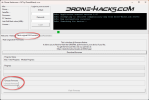
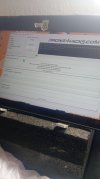
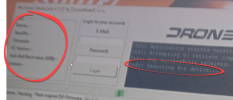
After a lot of testing, I managed to put the controller into Qualcomm 9008 EDL mode, and Windows now recognizes it as “Qualcomm HS-USB QDLoader 9008”, so it’s ready to be flashed manually.
To proceed, I just need the firmware file v02.00.0300 (.bin format) but I haven’t been able to find it anywhere online.
If anyone has that .bin file or knows where to download it, I’d really appreciate it if you could share it. It’s the last thing I need to try recovering this controller.
Thanks again for your help!
Hello bro, please how were you able to put the controller into Qualcomm 9008 EDL mode? I'm having the same issue with the same controller... I already have the firmware file but don't know of a way to flash and install it