DJI Mavic, Air and Mini Drones
Friendly, Helpful & Knowledgeable Community
Join Us Now

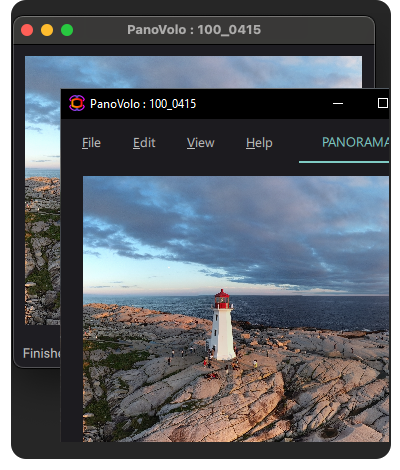
Mini 5 Pro Drone generated pano (21 images) vs Photoshop Pano (21 images)

Dale D

Well-Known Member
Joined
Sep 13, 2018
Messages
7,668
Reactions
8,674
Location
Miami
Site
vimeo.com
I have just worked for the past 3 hours on these 2 images! It took 3 calls to Adobe support and final support call was an hour. Essentially, I shot the pano and allowed the drone to generate the image, then tried to process a similar image manually in Photoshop. The drone generated image was much better in my opinion. For anyone needed a step by step process in Photoshop, here it is.
Adobe Photoshop 2026>
File>
Automate>Photomerge>
Cyindrical>
Browse>
select files (JPG)>
hit "OK."
first image is from drone, 2nd image is from manual development. I co
 

Attachments

Not too shabby. I have worked with stitching my share with various cams and PhotoShop CS6. Did you shoot it RAW or will it let you?
 
I use PTGUI for my equirectangular images, and find it does a good job.

I think cylindrical is probably the wrong projection to use, which is why the second image looks more distorted. I don't use Photoshop so have no idea what projections it can handle (and how well it does them) but I think equirectangular would look better. Or maybe vedutismo.

I've been meaning to test Panovolo. It's designed for stitching images like that, and the support is good.

 
  • Like
Reactions: Chrislaf
I use the drone generated panos much like the camera preview on a DSLR and always stitch my panos from the individual RAW images and edit or tweak them in post. If I have enough battery and time, the drone generated pano is useful to see if the capture is what I wanted/expected before leaving the location and flying back.

Depending on the kind of pano I am stitching I will either use Lightroom/Photoshop or more specialized software like PanoVolo or PTGui Pro. I prefer to shoot manually but on cold winter days I will use the auto pano modes to keep my fingers warm.

As @Robert Prior has mentioned above you sometimes need to try different projections to see what one works best for your subject.

Chris
 
You can always do better than the built-in thing from the RAWs but you need to understand the whole process and do it right, if you just throw them into some software and expect the defaults to work with no intervention then you're better off with the built-in thing.
 
I just found out recently after flying with a different tablet, where I had set the photos to shoot in raw and jpeg, and when I shot pano's, when I went to edit the pano's there were no raw files. To have raw files in pano's you must while the pano mode is selected on the drone go back to the three dots on the top right screen and select camera where you can select jpeg or raw files or both for pano's.
 
I just found out recently after flying with a different tablet, where I had set the photos to shoot in raw and jpeg, and when I shot pano's, when I went to edit the pano's there were no raw files. To have raw files in pano's you must while the pano mode is selected on the drone go back to the three dots on the top right screen and select camera where you can select jpeg or raw files or both for pano's.
There is something on the bottom of the screen ( I think where it says jpeg) that you can tap to change it as well
 
  • Like
Reactions: Bsnyder
There is something on the bottom of the screen ( I think where it says jpeg) that you can tap to change it as well
Part of my takeoff checklist is verifying that my drone is saving the original images. A couple of times it's somehow reset to not saving them and I didn't notice and so only have the drone-stitched panorama, which kinda sucked, which is why I've now added it to my checklist.
 
  • Like
Reactions: Bsnyder

DJI Drone Deals

New Threads

Forum statistics

Threads
139,832
Messages
1,652,372
Members
167,972
Latest member
Dispatcher
Want to Remove this Ad? Simply login or create a free account