DJI Mavic, Air and Mini Drones
Friendly, Helpful & Knowledgeable Community
Join Us Now

image quality poor

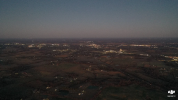
mavic 2 pro photos are blurry and i have tried changing a few settings and nothing makes it better. any ideas? i dont know a lot about cameras but feel like they should be clearer
The first thing I notice about that pic is that there's no subject to look at, it's 100% distant background.

It would be a big help to see some examples at full size to be able to tell what the issue may be.
Can you upload a couple of original jpg image files to Google Drive or similar and post a link here?
 
i cant seem to get it on google drive from my smart controller.
OK ... that image has what I was looking for to see what's happening.
The image metadata shows that the camera exposure settings were:
5.0 sec f11 ISO 100 and that explains the poor quality.

There's some movement which has caused the image to be unsharp with the shutter open for 5 seconds (a very long time in photography).

If you aren't familiar with camera exposure settings, here are some suggestions that should see you getting good exposure in future.
I'd recommend :
Setting the camera to use aperture priority
Set the aperture value of f5.6
This should be fine for most daylight shots (you can open the aperture towards f2.8 if you are shooting in low light).
Set the ISO to 100

Your camera settings should look like this:
i-WM2rGMt-M.png


Now your camera will select an appropriate shutter speed for the brightness of each scene and you should be getting much better results consistently.
Try that and report back if it's a big improvement or if you want more help.

 
One more thing ... 5 seconds at f 11 doesn't seem to be right if that was a daylight scene.
I wonder if you had an ND filter on the lens that cut the light level significantly?

If you are shooting stills (unless you have a specific reason to use an ND filter), they aren't going to help you and should be left off.
 
One more thing ... 5 seconds at f 11 doesn't seem to be right if that was a daylight scene.
I wonder if you had an ND filter on the lens that cut the light level significantly?

If you are shooting stills (unless you have a specific reason to use an ND filter), they aren't going to help you and should be left off.
Thankyou. I will give that a try sometime tomorrow and see if it does what i want. Also i had no ND filter on but it was a hazy overcast day as it rained most of the day so that might be partly why it wasn't brighter in the last picture.
 
Also i had no ND filter on but it was a hazy overcast day as it rained most of the day so that might be partly why it wasn't brighter in the last picture.
Thanks .. that's not why the pic wasn't brighter, but it explains why the camera used such a long exposure time to get proper light levels.
.. that and the aperture being stopped down to f11.
But if you try the settings they should give very good exposure for ~95% of your shots.

I'm a pro photographer and those are the settings I use to get shots like you see in this thread ....

The only exception is that I open the aperture up towards f2.8 when I'm shooting at night or in very low light.
 
  • Like
Reactions: Dbez1
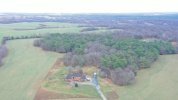
If these images are from your controller, that means they are only thumbnails. You need to use the images off of the SD card in your drone. You'll never get a clear photo from the pics on your controller.
I got the last one from the SD card. To get pictures off my controller i upload to Skypixel and it has seemed to work before.
 
I got the last one from the SD card. To get pictures off my controller i upload to Skypixel and it has seemed to work before.
Ah. Check to make sure you're focused as well then. Are you using autofocus or manual focus? But it's also likely the shutter speed.
 
I get consistently better results, every time, by selecting a focus spot on the touch screen rather than relying on the device to set focus by itself. Try that, if you haven't already.
 
I get consistently better results, every time, by selecting a focus spot on the touch screen rather than relying on the device to set focus by itself. Try that, if you haven't already.
Focusing was not an issue ... a 5 second exposure was.
But there's really no need to select a focus spot, unless you have a subject very close to the drone and a larger distant background (something which is rarely done in drone photography).

DJI drones autofocus very well, it's hard to imagine how you could improve on it.
In >10 years of using autofocus in my drone work, I've never noticed anything unsatisfactory about the focus.
 
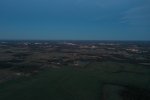
1769135169569.jpeg
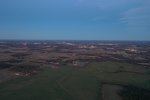
1769135201573.jpeg
The first one is f5.6 and the second is f2.8. It seems like they still could be better. I remember some of the pictures i took six months ago being a lot clearer so I know it could do better.
 

DJI Drone Deals

New Threads

Members online

Forum statistics

Threads
140,117
Messages
1,655,707
Members
168,169
Latest member
ervinpl71
Want to Remove this Ad? Simply login or create a free account