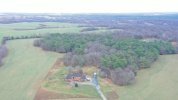
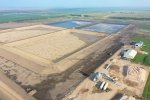
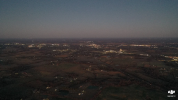
 my mavic 2 pro photos are blurry and i have tried changing a few settings and nothing makes it better. any ideas? i dont know a lot about cameras but feel like they should be clearer
my mavic 2 pro photos are blurry and i have tried changing a few settings and nothing makes it better. any ideas? i dont know a lot about cameras but feel like they should be clearer
my mavic 2 pro photos are blurry and i have tried changing a few settings and nothing makes it better. any ideas? i dont know a lot about cameras but feel like they should be clearerThe first thing I notice about that pic is that there's no subject to look at, it's 100% distant background.mavic 2 pro photos are blurry and i have tried changing a few settings and nothing makes it better. any ideas? i dont know a lot about cameras but feel like they should be clearer
OK ... that image has what I was looking for to see what's happening.i cant seem to get it on google drive from my smart controller.

Thankyou. I will give that a try sometime tomorrow and see if it does what i want. Also i had no ND filter on but it was a hazy overcast day as it rained most of the day so that might be partly why it wasn't brighter in the last picture.One more thing ... 5 seconds at f 11 doesn't seem to be right if that was a daylight scene.
I wonder if you had an ND filter on the lens that cut the light level significantly?
If you are shooting stills (unless you have a specific reason to use an ND filter), they aren't going to help you and should be left off.
Thanks .. that's not why the pic wasn't brighter, but it explains why the camera used such a long exposure time to get proper light levels.Also i had no ND filter on but it was a hazy overcast day as it rained most of the day so that might be partly why it wasn't brighter in the last picture.
Thanks.

If these images are from your controller, that means they are only thumbnails. You need to use the images off of the SD card in your drone. You'll never get a clear photo from the pics on your controller.
I got the last one from the SD card. To get pictures off my controller i upload to Skypixel and it has seemed to work before.If these images are from your controller, that means they are only thumbnails. You need to use the images off of the SD card in your drone. You'll never get a clear photo from the pics on your controller.
Ah. Check to make sure you're focused as well then. Are you using autofocus or manual focus? But it's also likely the shutter speed.I got the last one from the SD card. To get pictures off my controller i upload to Skypixel and it has seemed to work before.
See post #4 ... it's all sorted out.Ah. Check to make sure you're focused as well then. Are you using autofocus or manual focus? But it's also likely the shutter speed.

See post #4 ... it's all sorted out.
Focusing was not an issue ... a 5 second exposure was.I get consistently better results, every time, by selecting a focus spot on the touch screen rather than relying on the device to set focus by itself. Try that, if you haven't already.
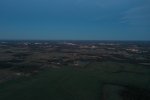
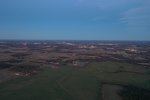
View attachment 187620
View attachment 187621
The first one is f5.6 and the second is f2.8. It seems like they still could be better. I remember some of the pictures i took six months ago being a lot clearer so I know it could do better.
Your pictures will always look a lot better if there is a subject rather than just background that's so far away that there's no way to tell anything about the image quality.I remember some of the pictures i took six months ago being a lot clearer so I know it could do better.









We use essential cookies to make this site work, and optional cookies to enhance your experience.