DJI Mavic, Air and Mini Drones
Friendly, Helpful & Knowledgeable Community
Join Us Now

Is there some kind of trick to this? Any tips?

Paul Harvey

Well-Known Member
Premium Pilot
Joined
Aug 29, 2021
Messages
245
Reactions
152
Age
71
Location
Tucson, AZ
Hello all. I just got a DJI RC 2 Pro and am trying to apply a screen saver to it.

For the life of me, I cannot get one on that isn't full of bubbles. I've tried four of them from two different manufacturers and they all had serious bubbles that could not be squeegeed out.

I did everything you're supposed to do: clean all dust and fingerprints of the screen; wipe it down with the alcohol swabs; and made sure it was completely dry.

I have applied protectors to numerous phones and they all came out with bubbles. But I was able to squeegee them all out.

What am I doing wrong (or not doing right)?

Thanks!
 
Hello all. I just got a DJI RC 2 Pro and am trying to apply a screen saver to it.

For the life of me, I cannot get one on that isn't full of bubbles. I've tried four of them from two different manufacturers and they all had serious bubbles that could not be squeegeed out.

I did everything you're supposed to do: clean all dust and fingerprints of the screen; wipe it down with the alcohol swabs; and made sure it was completely dry.

I have applied protectors to numerous phones and they all came out with bubbles. But I was able to squeegee them all out.

What am I doing wrong (or not doing right)?

Thanks!
Never had any issues on the RC 2 Pro, or any phones whatsoever.
 
  • Like
Reactions: Paul Harvey
After you clean and dust the screen, use some scotch tape to "pat" down the screen once more..
Pull the backing off as you go! not all at once.
The included alignment thingy that comes with some protectors is nice to have.
squeegee the entire surface letting it stick a little at a time to give the bubbles a route to escape as you go. Never use a finger.
 
After you clean and dust the screen, use some scotch tape to "pat" down the screen once more..
Pull the backing off as you go! not all at once.
The included alignment thingy that comes with some protectors is nice to have.
squeegee the entire surface letting it stick a little at a time to give the bubbles a route to escape as you go. Never use a finger.
Thanks, I'll try that!
 
"Hello all. I just got a DJI RC 2 Pro and am trying to apply a screen saver to it."

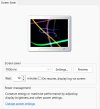
I thought WTF would u want a screensaver . And you went on about bubbles . I thought maybe try 3D text or Ribbons not Bubbles.
Hahahahaahah

1765690265403.png
 

DJI Drone Deals

New Threads

Members online

Forum statistics

Threads
139,682
Messages
1,650,670
Members
167,862
Latest member
marcusjohn3684
Want to Remove this Ad? Simply login or create a free account