DJI Mavic, Air and Mini Drones
Friendly, Helpful & Knowledgeable Community
Join Us Now

New FW Mavic 4 Pro

I am tempted to update myself, I am still on old .0200 FW; someone commented earlier that this new version fixes this gimbal glitch issue, but reading that some folks are having issues connecting the drone to their computer and getting data off drone. Either though, I usually just use the DJI Fly app on my phone and download footage from there, basically over wifi.

I am monitoring this thread very closely, if more people confirm no issues with it, I will pull a trigger on it
 
  • Like
Reactions: Edo92
On the DJI forum someone indicated that after this update their altitude limit was max 500m. These things are often region based, their country was listed as New Zealand. Just an FYI for anyone thinking of updating.
 
  • Like
Reactions: GadgetGuy
No gimbal glitch for me. Just made two flights up to this day but did not notice anything wrong with my M4P. Still have to confirm if fw .0500 still allows to flight above 500m limit.
Please also confirm which country you are in, as the 500m height limit is likely region based, but could now be worldwide, and we therefore need to segregate our testing results by country. Hopefully, in the U.S. it is still 1000m.
 
  • Like
Reactions: qadsan and Riptide
Any more feedback on this? Di you still have that annoying glitch?
it's basically non existent,
To view this content we will need your consent to set third party cookies.
For more detailed information, see our cookies page.

If you have recently upgraded your Mavic 4 Pro to the latest firmware of 01.00.0050, please check to see if you can still connect your drone to a computer and download files, or you can still use a USB card reader to read files from the SD card. This firmware update seems to have broken my ability to do so. See: Firmware v01.00.0500 Problem
no issues still for me in windows 11 and a Mac air that my DIT used yesterday and managed to copy file with no issues . OTA filetransfer on mobile still works as well.
 
it's basically non existent,
To view this content we will need your consent to set third party cookies.
For more detailed information, see our cookies page.


no issues still for me in windows 11 and a Mac air that my DIT used yesterday and managed to copy file with no issues . OTA filetransfer on mobile still works as well.
Excellent! Thank you!
Now we just need to confirm that the 1000m height limit in the U.S. hasn't been reduced to 500m.
 
Excellent! Thank you!
Now we just need to confirm that the 1000m height limit in the U.S. hasn't been reduced to 500m.
I have a shoot on the 24th that will be 50km away from an airport. I'll go ahead and try to check on the app if the limit is reduced. (philippines)
 
Okay folks! Decided to pull trigger on this new FW, updated the drone as well as my RC Pro 2 this morning and I can confirm that gimbal glitching is gone, drone flies amazing, even that "ghost" obstacle avoidance glitch I reported earlier is gone! I was able to download footage I took from drone over OTA. Did not try over-USB , nor I can talk about the height limit. I am in the USA, can't fly above 400ft (120m) anyways here
 
Okay folks! Decided to pull trigger on this new FW, updated the drone as well as my RC Pro 2 this morning and I can confirm that gimbal glitching is gone, drone flies amazing, even that "ghost" obstacle avoidance glitch I reported earlier is gone! I was able to download footage I took from drone over OTA. Did not try over-USB , nor I can talk about the height limit. I am in the USA, can't fly above 400ft (120m) anyways here
what is the max height the fly app will allow you to set it to after the update in the USA?
 
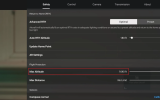
Well, it allows me to go up to 1640ft, which is basically 500m:

1769143481793.png

Now, I don't remember what was the max altitude limit with previous firmware, but like I said earlier, I don't fly higher than 400ft anyways, so for me personally, not that of a deal breaker
 
Well, it allows me to go up to 1640ft, which is basically 500m:

View attachment 187625

Now, I don't remember what was the max altitude limit with previous firmware, but like I said earlier, I don't fly higher than 400ft anyways, so for me personally, not that of a deal breaker
Mine lets me go over 3000'. I have it set to ~393' and do obey the 400' law, but I also like having the option to go higher just in case. Looks like I'll be skipping this update. Wish I knew if it was the firmware on the drone or the firmware on the controller. What is the firmware version on your controller?
 
  • Like
Reactions: qadsan
Mine lets me go over 3000'. I have it set to ~393' and do obey the 400' law, but I also like having the option to go higher just in case. Looks like I'll be skipping this update. Wish I knew if it was the firmware on the drone or the firmware on the controller. What is the firmware version on your controller?
What version are you running yours at? I initially updated to .0300 when it came out, but rolled it back to .0200 due to that gimbal glitching and ghost OA issues I was seeing with it. Never really explored how high I can fly with it, until like yesterday.

To answer your question, my drone and RC Pro 2 are both at .0500 FW and my DJI Fly app running on it is v1.19.4. Not sure if this is enforced on controller or drone level, but I would imagine it is on drone level. I could just roll back the drone FW via DJI Assistant 2 (hoping it will still allow me to do so) but like I said earlier, fixing that gimbal glitch was more important to me, so not sure I would want to go that route. Some else would need to confirm this
 
My drone is running .0300, my RC 2 controller is running DJI Fly 1.18.2 with RC firmware 07.00.0100. I wonder if the height limit would be restored on yours if you use assistant to roll back to .0200.
 
  • Like
Reactions: Edo92
With all this max altitude settings, be it 500m or previously 1000m, I just keep wondering how da heck did they shoot this video with M4P flying at top of Mt.Everest! I understand they did not go from the very bottom, they started shooting that video from around 6500m and going over summit at 8848m, that alone is way more than 1000m. I wonder if they used some special, unrestricted firmware just for the purpose shooting this video

To view this content we will need your consent to set third party cookies.
For more detailed information, see our cookies page.
 
With all this max altitude settings, be it 500m or previously 1000m, I just keep wondering how da heck did they shoot this video with M4P flying at top of Mt.Everest! I understand they did not go from the very bottom, they started shooting that video from around 6500m and going over summit at 8848m, that alone is way more than 1000m. I wonder if they used some special, unrestricted firmware just for the purpose shooting this video

To view this content we will need your consent to set third party cookies.
For more detailed information, see our cookies page.
Thats the official DJI account. Altitude limits can be temporarily removed by DJI for specific locations/dates if you contact them with a legitimate permit to do so. They probably used the same function for themselves to make this video.
 
Thats the official DJI account. Altitude limits can be temporarily removed by DJI for specific locations/dates if you contact them with a legitimate permit to do so. They probably used the same function for themselves to make this video.
I wonder if we could "hack around" and remove such restrictions ourselves. This is where we would need to see if it is enforced by DJI Fly app, or drone firmware. as if first, that could be easily patched out. Its a freakin' Android app after all. Pretty sure its doable. If it is on drone firmware side, that would be more challenging to accomplish.

But again, I personally don't need this. At least not now. Here in Texas, there aren't any mountains anyways. Just flat land, so going up to 400ft is more than enough for me. And I am happy that gimbal glitching and ghost OA is gone, so not sure I would want to downgrade my drone FW at this point
 
on the latest fw here
Where is your drone from? I have a SK model, is it perhaps by country of origin, or targeted market the drone was manufactured for? Your profile says Southern California, I am in Texas, we are both in US, so location wise there should not be any difference
 
Where is your drone from? I have a SK model, is it perhaps by country of origin, or targeted market the drone was manufactured for? Your profile says Southern California, I am in Texas, we are both in US, so location wise there should not be any difference
from SK. I noticed though when it has no satellites lock, it says 1640, but when it gets a home point, then it can be slided to 3280.
 
from SK. I noticed though when it has no satellites lock, it says 1640, but when it gets a home point, then it can be slided to 3280.
I did not try that! I will get my drone out, get a satellite lock and see if it allows me to get it higher. will report back
 
  • Like
Reactions: Edo92

DJI Drone Deals

New Threads

Forum statistics

Threads
140,215
Messages
1,656,718
Members
168,230
Latest member
risingos
Want to Remove this Ad? Simply login or create a free account