DJI Mavic, Air and Mini Drones
Friendly, Helpful & Knowledgeable Community
Join Us Now

RC 2 dont connected wifi

udemirci

Member
Joined
Dec 2, 2025
Messages
5
Reactions
1
Age
36
Location
TÜRKİYE
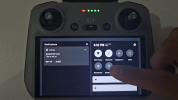
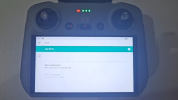
rc 2 dont connected wifi. I reset the device to factory settings. I installed new software using Assistant 2. As a result, Wi-Fi won't turn on, and I can't connect. I can only connect via Bluetooth. I've added a related video.

I want help
 

Attachments

  • videoframe_34107.png
    videoframe_34107.png
    662.7 KB · Views: 15
  • videoframe_13343.png
    videoframe_13343.png
    339.6 KB · Views: 15
You need to reconnect manually like when you first got it
 
rc 2 dont connected wifi. I reset the device to factory settings. I installed new software using Assistant 2. As a result, Wi-Fi won't turn on, and I can't connect. I can only connect via Bluetooth. I've added a related video.

I want help
Try using a different cable to connect the drone's RC controller to the smart device ( Android or iPad). Sometimes using a different cable will restore the drone's connection so that normal flights can resume.

I have a few non-OEM Apple Lightning cables that work fine to charge the battery of my iPad, yet will NOT work when used to connect the iPad to the drone's RC controller.
 
rc 2 dont connected wifi. I reset the device to factory settings. I installed new software using Assistant 2. As a result, Wi-Fi won't turn on, and I can't connect. I can only connect via Bluetooth. I've added a related video.

I want help
Check if your home wifi is broadcasting its network ID. If that does not work, enable the Hotspot on your phone and try connecting RC2 to it.
 
Your wifi router may not have been enabled to permit new connections. You may need to go into device management in your home wifi router,
 
Try using a different cable to connect the drone's RC controller to the smart device ( Android or iPad). Sometimes using a different cable will restore the drone's connection so that normal flights can resume.

I have a few non-OEM Apple Lightning cables that work fine to charge the battery of my iPad, yet will NOT work when used to connect the iPad to the drone's RC controller.

??? Cables are not involved with wifi. Also, we're talking about an RC2, which doesn't involve a smartphone.
 
  • Like
Reactions: tribar
Yüklediğiniz video karelerini görüyorum, ancak video yok. Videoları YouTube, Vimeo veya başka bir barındırma sitesine yüklemeniz ve ardından buraya bir bağlantı göndermeniz gerekiyor.


I uploaded a video. My Wi-Fi always appears to be off. It won't turn on. I can connect to the internet via Bluetooth. I can't connect via Wi-Fi at all. I get an "Application is Responding" error.
 
Last edited:
Have you tried a soft toggle of the wi-fi ? (turn the wi-fi on the controller on and off).
Are you sure you used the LATEST VERSION of the assistant 2 software?
Have you tried to connect to another network?
I think your Hardware driver install failed and I would make sure you have the latest Assistant 2 software and re-flash the Drone.
 
Have you tried a soft toggle of the wi-fi ? (turn the wi-fi on the controller on and off).
Are you sure you used the LATEST VERSION of the assistant 2 software?
Have you tried to connect to another network?
I think your Hardware driver install failed and I would make sure you have the latest Assistant 2 software and re-flash the Drone.
I installed the latest version of Assistant 2. It won't connect to any other network. I've even tried it with another RC2 remote control. I'm trying to find a way to delete the entire remote and reinstall it.
 
  • Like
Reactions: Cafguy
There is a return to factory or factory update switch in the Assistant 2, choose that first, then after that re-connect the Drone and find any necessary updates.
 

DJI Drone Deals

New Threads

Forum statistics

Threads
139,582
Messages
1,649,734
Members
167,793
Latest member
BlackRoc
Want to Remove this Ad? Simply login or create a free account